T-Mobile Internet Guide: Understanding Home Internet, WiFi, Availability, and Plan Options
Clear 2026 guide to T-Mobile internet, home WiFi, WiFi 6 gateways, plan options, and how to check if T-Mobile internet is available in your area.
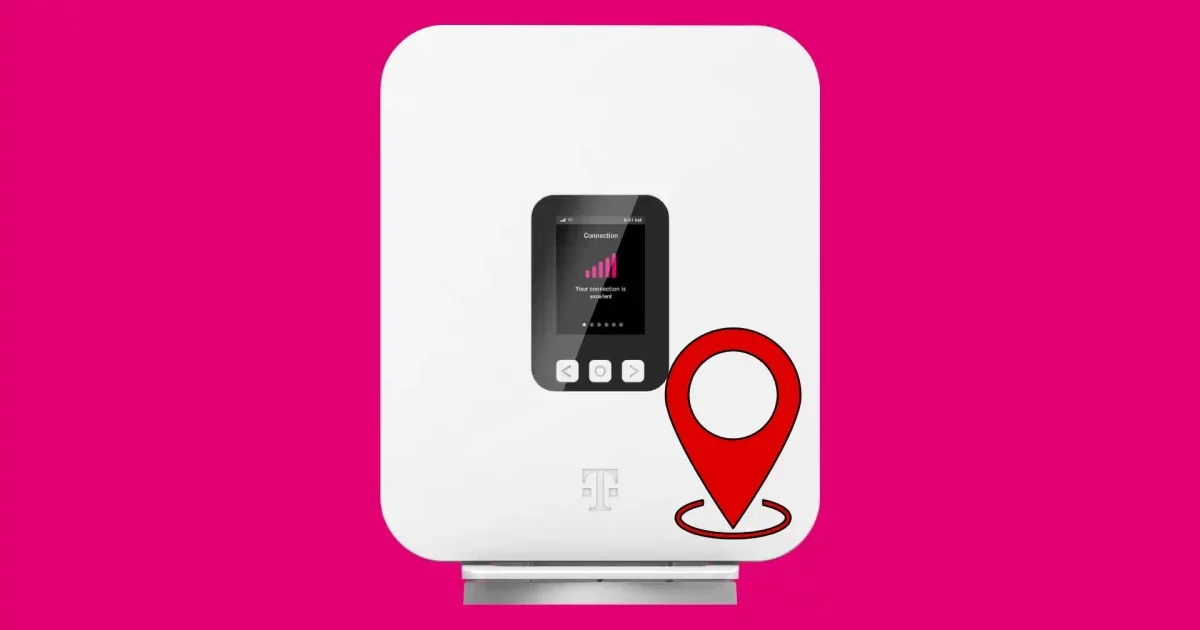
T-Mobile internet has become a familiar option for households looking for a simpler alternative to traditional cable or fiber broadband. Instead of relying on underground cable lines or a technician-installed wired connection, tmobile home internet usually works through a 5G or 4G LTE wireless gateway that connects to T-Mobile’s mobile network and then creates a WiFi network inside the home. For many people, the search starts with practical questions: Is t mobile internet in my area? How does tmobile wifi work? What are the differences between t mobile internet plans? Does tmobile home internet wifi 6 matter for daily use? These are useful questions because home internet quality depends on more than the advertised monthly price. It can also depend on local network capacity, signal strength, home layout, number of connected devices, and the type of gateway provided. This guide explains how T-Mobile Home Internet typically works, what users should compare before choosing a plan, and how to think about speed, reliability, WiFi coverage, and availability in a practical way.
What Is T-Mobile Home Internet?
T-Mobile Home Internet is a fixed wireless home broadband service. “Fixed wireless” means the service is intended to be used at a specific approved home address, but the connection reaches the home through a wireless network rather than a cable or fiber line. T-Mobile’s own availability page notes that service is for use with select gateways at the location provided at activation and may be restricted away from the approved address.
The basic setup is usually simple. A household receives a T-Mobile gateway, places it in a location with strong signal, and connects devices such as phones, laptops, smart TVs, tablets, and security devices through WiFi. T-Mobile’s support guidance recommends using the T-Life app to help find a good gateway location, such as near a window or higher location, and to manage network settings and connected devices.
Unlike many wired broadband services, this type of home internet may not require a technician visit. That can be useful for renters, people who move often, or households that want a less complicated setup. However, because the service depends on wireless network conditions, performance can vary by address and even by where the gateway is placed inside the home.
How T-Mobile WiFi Works Inside the Home
When people search for tmobile wifi, they may be referring to two connected but different things: The internet connection from T-Mobile’s cellular network to the home gateway. The WiFi signal created by the gateway inside the home. The first part depends on T-Mobile’s network coverage and capacity near the approved service address. The second part depends on the gateway, the home layout, walls, distance from the router, device age, and possible interference from other electronics. This distinction matters because a slow connection in one room does not always mean the outside internet signal is weak. Sometimes the issue is indoor WiFi coverage. For example, a gateway placed behind thick walls, inside a cabinet, or far from the main living area may not provide the best experience. T-Mobile’s gateway setup guidance specifically focuses on placement and signal strength because location can affect performance. For larger homes, mesh WiFi extenders may help spread the signal more evenly. However, not every household needs extra equipment. A small apartment with the gateway placed centrally may perform well with the standard device, while a multi-floor home may need more careful placement. The keyword tmobile home internet wifi 6 usually refers to newer gateway equipment that supports WiFi 6, a more modern WiFi standard designed to handle multiple devices more efficiently than older WiFi standards. WiFi 6 may help with local network performance, especially in households with several connected devices, such as laptops, smart TVs, phones, tablets, gaming systems, and smart home equipment. However, WiFi 6 does not automatically guarantee faster internet. It mainly improves the wireless network inside the home. The actual internet speed still depends on the outside connection between the gateway and T-Mobile’s network. A helpful way to think about it: Feature What It Affects Why It Matters T-Mobile 5G/LTE signal Connection from network to gateway Affects internet speed and stability Gateway placement Signal quality and WiFi reach Can improve or reduce performance WiFi 6 support Indoor WiFi efficiency Useful for multi-device homes Home layout WiFi coverage Walls and floors can weaken signal Network capacity Real-world speeds Busy local towers may affect performance For households with many connected devices, WiFi 6 can be a useful feature. But users should still check availability, plan details, typical speeds, and device compatibility before making a decision. The phrase t mobile internet in my area is one of the most important searches because availability is address-specific. A service may be available in one neighborhood but limited in another. Even within the same city, T-Mobile may restrict signups based on local network capacity to help manage performance for existing users. T-Mobile’s home internet pages direct users to check availability before signing up, and its eligibility information explains that the service is tied to the approved activation address. When checking availability, users should consider: Exact home address, not just ZIP code. Whether the service is 5G or LTE-based in that location. Whether the plan is intended for full home use or backup use. Whether video streaming, gaming, or remote work needs are important. Whether the household already has a mobile plan that changes pricing or eligibility. A ZIP code search can be helpful as a starting point, but the final answer usually requires a full address check. That is because fixed wireless home internet depends on local tower coverage and capacity. When comparing t mobile internet plans, it is important to focus on the full plan details rather than only the headline price. T-Mobile’s official home internet plan page shows current plan options and notes that availability may be limited by location. Common comparison points include: Plan Factor What to Review Why It Matters Monthly price Base price, AutoPay terms, taxes, fees Helps estimate real monthly cost Gateway equipment Included device, return rules, possible charges Important if canceling or replacing equipment Speed expectations Typical download/upload range if listed Helps match plan to household needs Data policy Whether data is unlimited or managed Important for streaming and large downloads Address restriction Whether service must stay at approved address Important for renters or frequent movers Streaming compatibility Any limitations for live TV or video services Useful for cord-cutting households T-Mobile’s eligibility details mention that video streaming resolution depends on available speeds and that some live TV streaming services may not be compatible. This does not mean the service cannot support streaming, but it does mean households should review details carefully if live TV apps, sports streaming, or high-resolution video are a major part of daily use. The best internet plan depends on how the home uses the connection. A single person checking email and watching occasional videos may need much less than a family with multiple people streaming, working remotely, attending online classes, gaming, and using smart home devices at the same time. The FCC’s broadband guidance explains that households should estimate internet needs based on activity level and number of users, including light, moderate, and high usage patterns. Here is a practical planning table: Household Type Typical Activities Practical Consideration Light use Email, browsing, messaging, occasional video Basic home internet may be enough Moderate use HD streaming, video calls, online shopping, several devices Check typical speeds and WiFi coverage Heavy use 4K streaming, gaming, remote work, large downloads Compare latency, stability, and peak-hour performance Multi-person home Several users online at once WiFi 6 and strong gateway placement may help Smart home setup Cameras, speakers, thermostats, security devices Reliability and upload performance may matter For T-Mobile Home Internet, real-world experience can vary because fixed wireless performance depends on local network conditions. Independent network reports can give a broad view of mobile network performance, but they do not replace checking the service at a specific address. For example, Opensignal’s June 2025 U.S. mobile report found T-Mobile leading in overall Download Speed Experience and 5G Download Speed Experience, but that is a national mobile network measure rather than a guarantee for every home internet address. T-Mobile Home Internet may appeal to users who want straightforward setup and do not want a traditional cable installation. In many cases, the gateway can be self-installed, and the user can manage network name, password, connected devices, and signal checks through T-Mobile’s app tools. Potential advantages include: No need for a wired cable or fiber line in some homes. Self-installation may be simpler than technician setup. Useful option where cable competition is limited. Gateway-based WiFi can serve multiple household devices. Address-based availability check helps determine local eligibility. For some households, this type of service may be a practical primary internet connection. For others, it may work better as a backup internet option or a secondary connection, depending on work needs, streaming habits, and local network quality. A neutral review should also consider possible limitations. Fixed wireless home internet is not identical to fiber or cable broadband. It may be affected by signal strength, tower congestion, weather conditions, building materials, and network management policies. Users should review: Whether the service is available at the exact home address. Whether the gateway receives strong signal indoors. Whether upload speeds are sufficient for video meetings or cloud backups. Whether latency is acceptable for online gaming. Whether live TV streaming apps work as expected. Whether the service can be moved if the household relocates. T-Mobile’s own eligibility information says the service is intended for use at the provided activation address and notes that streaming resolution and certain live TV streaming compatibility may vary. These details are important for users who want to replace cable internet and cable TV at the same time. After installing the gateway, small changes can improve the home experience. Placement is often the first step. T-Mobile recommends using app-based setup help and placing the gateway in a location with stronger signal, such as near a window or higher shelf. Practical tips include: Place the gateway away from thick walls, metal objects, and large appliances. Test several locations before choosing a permanent spot. Keep the gateway elevated if possible. Use a strong WiFi password. Rename the network so household members can identify it easily. Check connected devices if speeds suddenly drop. Consider mesh WiFi if the home has weak rooms or multiple floors. For tmobile home internet wifi 6 users, newer devices may perform better when connected to the WiFi 6 network, but older devices may still use older WiFi standards. This is normal. A WiFi 6 gateway can support a mixed-device household, but each device’s performance depends on its own hardware. T-Mobile Home Internet may be worth considering for: Renters who want a simpler setup. Households without strong cable or fiber options. Users who mainly stream, browse, shop online, and use video calls. People who want to compare wireless home internet with traditional broadband. Homes where T-Mobile’s local network signal is strong. It may be less ideal for: Competitive gamers who need very low latency. Households with weak indoor cellular signal. Users who rely heavily on live TV streaming services that may have compatibility issues. People who need guaranteed business-grade performance. Homes where fiber is available at a similar or better price. The best approach is to compare T-Mobile with other available providers at the same address. This may include cable, fiber, DSL, satellite, or another fixed wireless provider. T-Mobile internet can be a practical option for households that want home broadband without a traditional cable or fiber installation. The service usually works through a wireless gateway that connects to T-Mobile’s network and creates a home WiFi network. For users searching for tmobile home internet, tmobile wifi, tmobile home internet wifi 6, t mobile internet in my area, or t mobile internet plans, the most important step is to check exact address availability and review plan details carefully. The main benefits are simple setup, flexible home WiFi use, and the possibility of strong 5G-based performance in eligible areas. The main considerations are signal quality, local network capacity, gateway placement, streaming compatibility, and whether the plan matches the household’s daily internet needs. A careful comparison should focus on real address availability, total monthly cost, equipment terms, expected performance, and household usage. That approach helps users make an informed decision without relying only on advertising claims or headline prices. This article is for general informational purposes only. T-Mobile internet availability, pricing, equipment, plan features, speeds, and eligibility may vary by location, account status, network conditions, and provider terms. Readers should review the latest official plan details, broadband labels, and service terms directly with the provider before making a decision. T-Mobile Home Internet Plans and availability information. T-Mobile Home Internet overview and current promotional plan information. T-Mobile Home Internet eligibility and service-use terms. T-Mobile Gateway setup and placement support. FCC Broadband Service for the Home and Broadband Speed Guide. Opensignal USA Mobile Network Experience Report, June 2025.What Does T-Mobile Home Internet WiFi 6 Mean?
How to Check T-Mobile Internet in My Area
Understanding T-Mobile Internet Plans
How Much Speed Does a Household Need?
Advantages of T-Mobile Home Internet
Limitations to Review Before Choosing
Tips for Better T-Mobile WiFi Performance
Who May Be a Good Fit?
Conclusion
Disclaimer
References